Introducing ContextMap: Session Intelligence for Claude Code

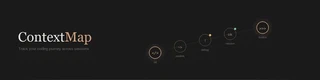
Have you ever found yourself in an hours-long architectural refactoring session with Claude Code, only to pause and think: “Wait, what did I actually modify three steps ago? Why did we go down this path again?”
Today, I’m thrilled to introduce ContextMap, a tool specifically designed to solve this exact problem.
The Problem with Continuous Coding
When interacting with AI coding assistants like Claude Code, your terminal becomes a massive, scrolling transcript of intents, failures, explorations, and successes. As projects grow in complexity—from standard web apps to computational biology foundation models—it’s incredibly easy to lose the overarching “arc” of what you’ve accomplished.
By the end of the day or when you open your laptop the next morning, you’ve forgotten the sequence of critical project decisions. You end up having to re-read your commit logs or scroll endlessly through your terminal history.
Enter ContextMap: Your Project’s Memory
ContextMap acts as your project’s memory. After you finish a coding session, it automatically analyzes the Claude Code transcripts to map out the evolution of your work. It synthesizes a beautiful, self-contained HTML report that reconstructs your journey—with emphasis on how each prompt evolved from the others.
Key Features
- Timeline Reconstruction: See every step of your project’s evolution displayed as a logical, chronological timeline.
- Decisions & Triggers: Understand why you shifted focus (e.g., “OOM crash during training → reconsidered our tokenization strategy”).
- Where We Left Off: An instant snapshot capturing your current state, key decisions made, and outstanding concerns.
- Open Threads: Automatically catches dangling ideas you mentioned but haven’t implemented yet.
- Zero Configuration: Designed to piggy-back off the existing
claudeCLI authentication, so there are no extra API keys to set up!
What it looks like
We’ve designed ContextMap’s output to look and act like a high-end, premium report. You get click-to-expand cards, clear icon indicators for successes or failures, and a clean, warm-dark aesthetic.
Check out the live example report here, which tracks the development of a mockup computational biology genomic foundation model.
Get Started Today
ContextMap is available as an open-source tool. To get started, you can literally run:
curl -fsSL https://raw.githubusercontent.com/ykai16/ContextMap/master/install.sh | bash
Then, just type contextmap from any repository where you’ve been working with Claude Code. Let the AI map the AI!
Found it useful or have feedback? I’d love to hear your thoughts! Drop an issue or check out the code at the GitHub Repository.
